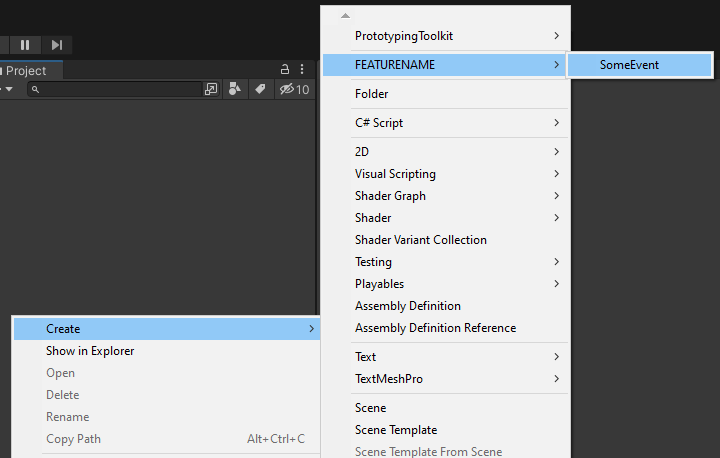
Create your own typed EmptyEvent
- This is not mandatory and takes some extra work.
- This can either be useful to have separate Eventgroups or even a single Type for every Event in you game to distinguish them and make them easier to find debug and maintain.
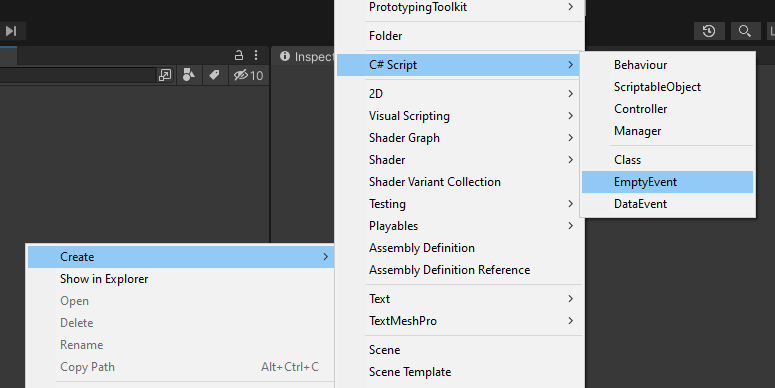
1. Create a new EmptyEvent Script
- Right-click in the Project hierarchy and choose Create/C# Script/EmptyEvent
2. Adjust the namespace, menu- and filename
using UnityEngine;
using PrototypingToolkit.Core.Logic.Event;

namespace Logic
{
   [CreateAssetMenu(fileName = "SomeEvent", menuName = "FEATURENAME/SomeEvent")]
   public class SomeEvent : EmptyEvent { }
}
3. Create the asset for the Event if needed