Data Event
DataEvents are a powerful mechanism in your project that allow you to send events along with associated data at runtime. With DataEvents, you can easily notify other systems, objects, or scripts about specific occurrences and provide them with relevant information. These events can be listened to and reacted to in code, enabling seamless communication and coordination between different parts of your project. Whether you need to trigger actions, update UI elements, or synchronize data between systems, DataEvents provide a flexible and efficient solution. This documentation will guide you through the process of creating, configuring, and using DataEvents effectively in your project.
How to create and use DataEvents.
1. Create a DataEvent Script
See: Create your own typed DataEvent
2. Name The Event
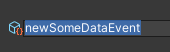
3. Set Up the Event
- Choose a Domain Logic if needed
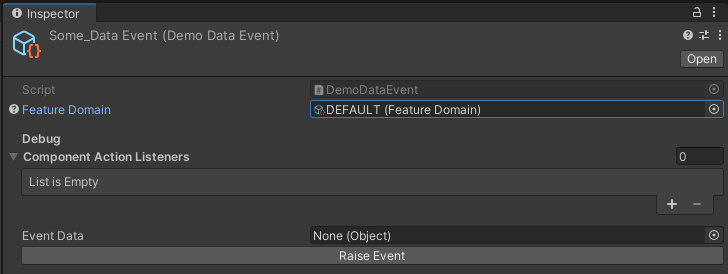
- The List in the Debug area will fill at runtime if there are any Listeners, this way they can be found in the Scene-Hierarchy
- The Event can also be raised at runtime for testing purposes, but the right object needs to be referenced first. Keep in mind this does only work for serializable instances
4. Send the Event via Code
- Reference the Event and raise it with parameter if needed
[SerializeField] private SomeDataEvent someDataEvent;

newEmptyEvent.Raise(Something);
5. React to the Event via Code
- Register the Event in OnEnable and Unregister it in OnDisable
- Reference the Event and react to it with parameter if needed
[SerializeField] private SomeDataEvent someDataEvent;

private void OnEnable()
{
   someDataEvent.Register(OnSomeEvent);
}

private void OnDisable()
{
   someDataEvent.Unregister(OnSomeEvent);
}

private void OnSomeEvent(SomeData someData)
{
     // Add code here
}