Empty Event
How to create and use EmptyEvents.
EmptyEvents are a powerful tool for sending events at runtime without any specific data attached. They provide a flexible way to communicate between different parts of your code or components within your Unity project. With EmptyEvents, you can trigger actions, update states, or synchronize behaviors without the need for explicit data exchange. Whether you want to create a simple event or establish complex event-driven systems, EmptyEvents offer a lightweight and efficient solution. This documentation will guide you through the process of creating and using EmptyEvents effectively, both through the Unity Inspector and code-based approaches.
You can also Create your own typed EmptyEvent if needed.
1. Create an EmptyEvent in the Editor
- Right-click in the Project hierarchy and choose Create/PrototypingToolkit/Events/EmptyEvent
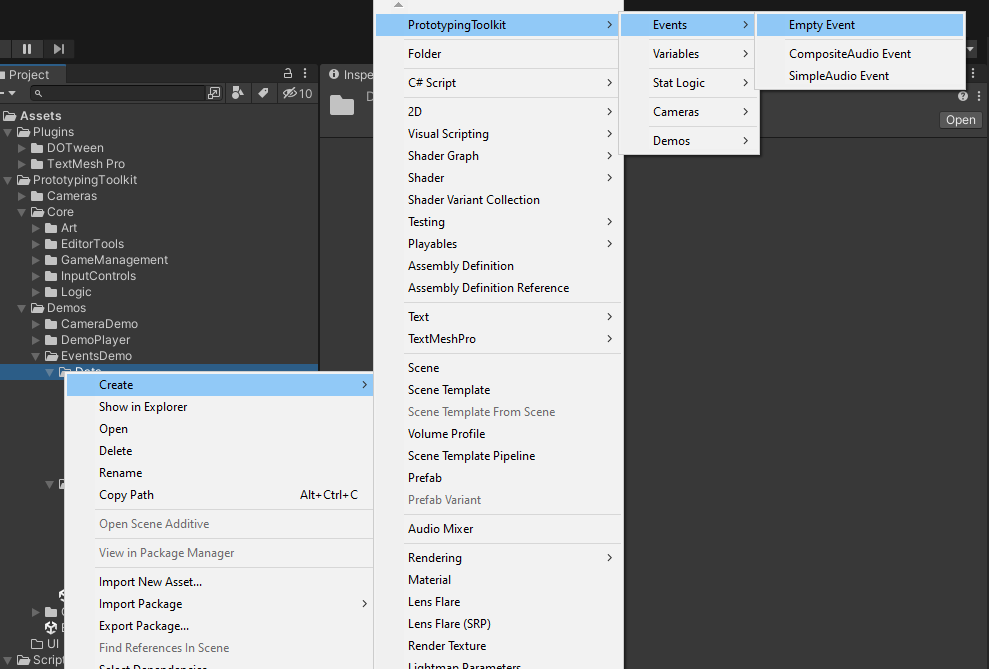
2. Name the Event

3. Set Up the Event
- Choose a Domain Logic if needed
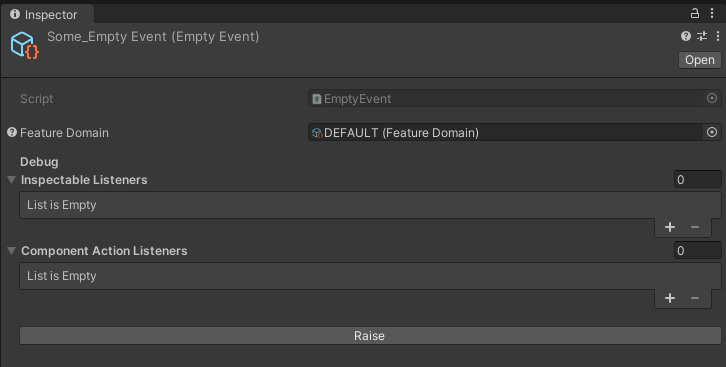
- The Lists in the Debug area will fill at runtime if there are any Listeners, this way they can be found in the Scene-Hierarchy
- The Event can also be raised at runtime for testing purposes
4a. Raise the Event in the Inspector
- Use any UnityEvent field in the Inspector to Raise your Event (eg. Button.OnClick())

4b. Send the Event via Code
- Reference the Event and raise it if needed
[SerializeField] private EmptyEvent emptyEvent;

newEmptyEvent.Raise();
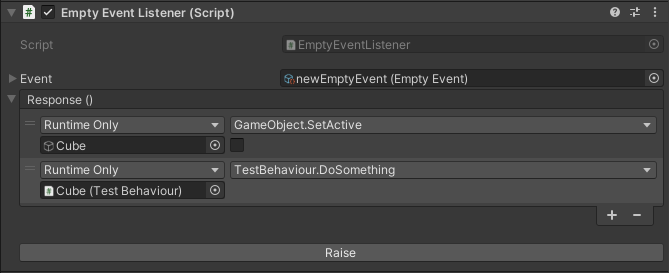
5a. React to the Event in the Inspector with EmptyEventListener
EmptyEventListener
The EmptyEventListener component enables easy event handling for EmptyEvents in Unity. By attaching it to a GameObject, you can define actions or behaviors that trigger when an EmptyEvent is raised. This decouples event senders and receivers, promoting modular and maintainable code. With the EmptyEventListener, you can seamlessly react to events without direct code coupling. This documentation guides you through the setup and usage of the EmptyEventListener component to handle EmptyEvents efficiently in your Unity project.
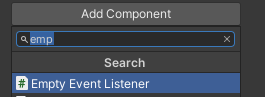
- Add the EmptyEventListener Component to any GameObject
- And add the wanted Reaction
5b. React to the Event via Code
- Reference the Event and react to it if needed
[SerializeField] private EmptyEvent newEmptyEvent;

private void OnEnable()
{
   newEmptyEvent.Register(OnSomeEvent);
}

private void OnDisable()
{
   newEmptyEvent.Unregister(OnSomeEvent);
}

private void OnSomeEvent()
{
     // Add code here
}