Event Hub
The EventHub serves as a central manager for events in your project. It allows you to parse and manage events from specific paths and provides options for configuring logging and colors.
You can either create one EventHub for the whole game or multiple based an your needs.
See also Domain Logic to create your own
1. Create an EventHub
To create an EventHub, follow these steps:
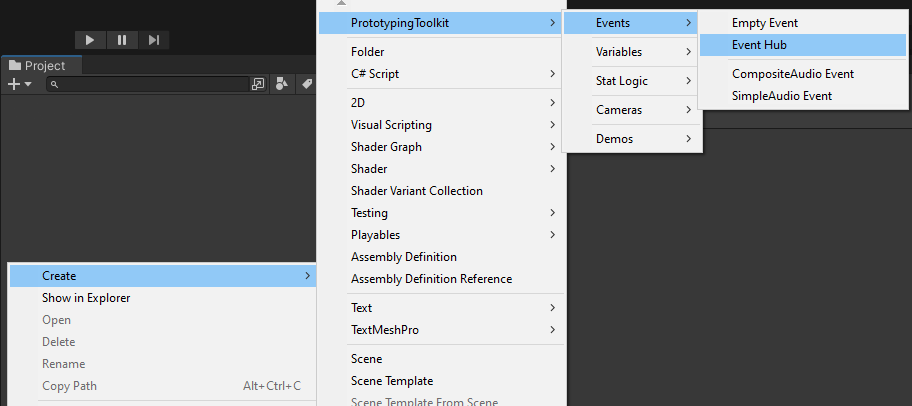
- In the Unity Editor, right-click in the Project window or within a desired folder.
- Select "Create" and navigate to "EventHub" to create a new EventHub asset.
- Give the EventHub a meaningful name.
2. Setup
After creating the EventHub, you need to set it up for event parsing and configuration. Follow these steps:
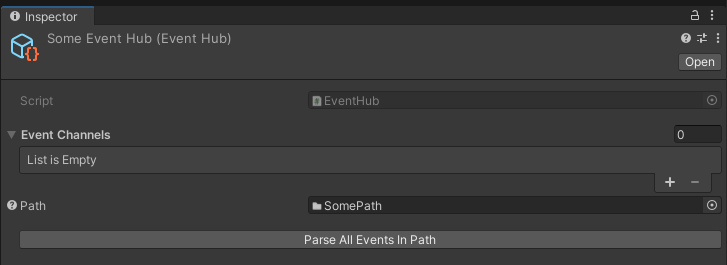
- Drag and drop the path from which you want to parse all the events into the "Path" field of the EventHub.
- Press the "Parse All Events in Path" button to initiate the parsing process. This will scan the specified path for events and populate the EventHub with the parsed Empty Events and Data Events.
- Adjust the logging and color settings as per your requirements. These settings control if events are logged and the colors associated with them.
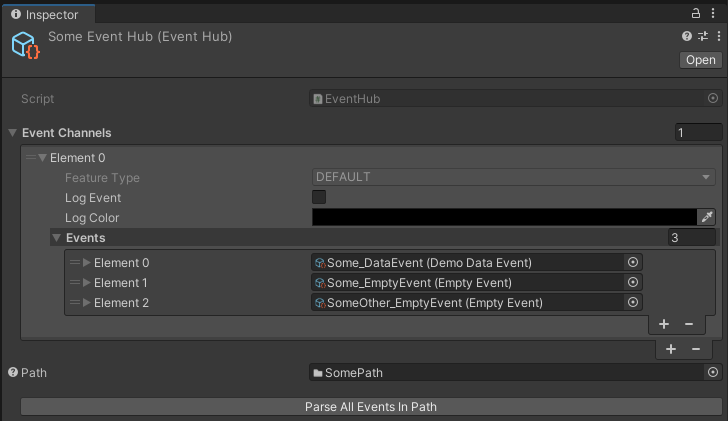
Feel free to customize the logging and color settings based on your project's needs.